
Using Smart Tools in Efty Investor
Smart Tools help you enhance your domain listings with AI-generated content, making your domains more appealing and easier to discover across your sales channels.
With just a few clicks, you can generate:
- A domain Profile
- Key USPs (Unique Selling Points)
- A suggested Category
And soon a whole lot more!
Where to find Smart Tools
To use Smart Tools for a single domain:
- Go to Domains > Portfolio in your Efty Investor account
- Search for and open a domain from your portfolio
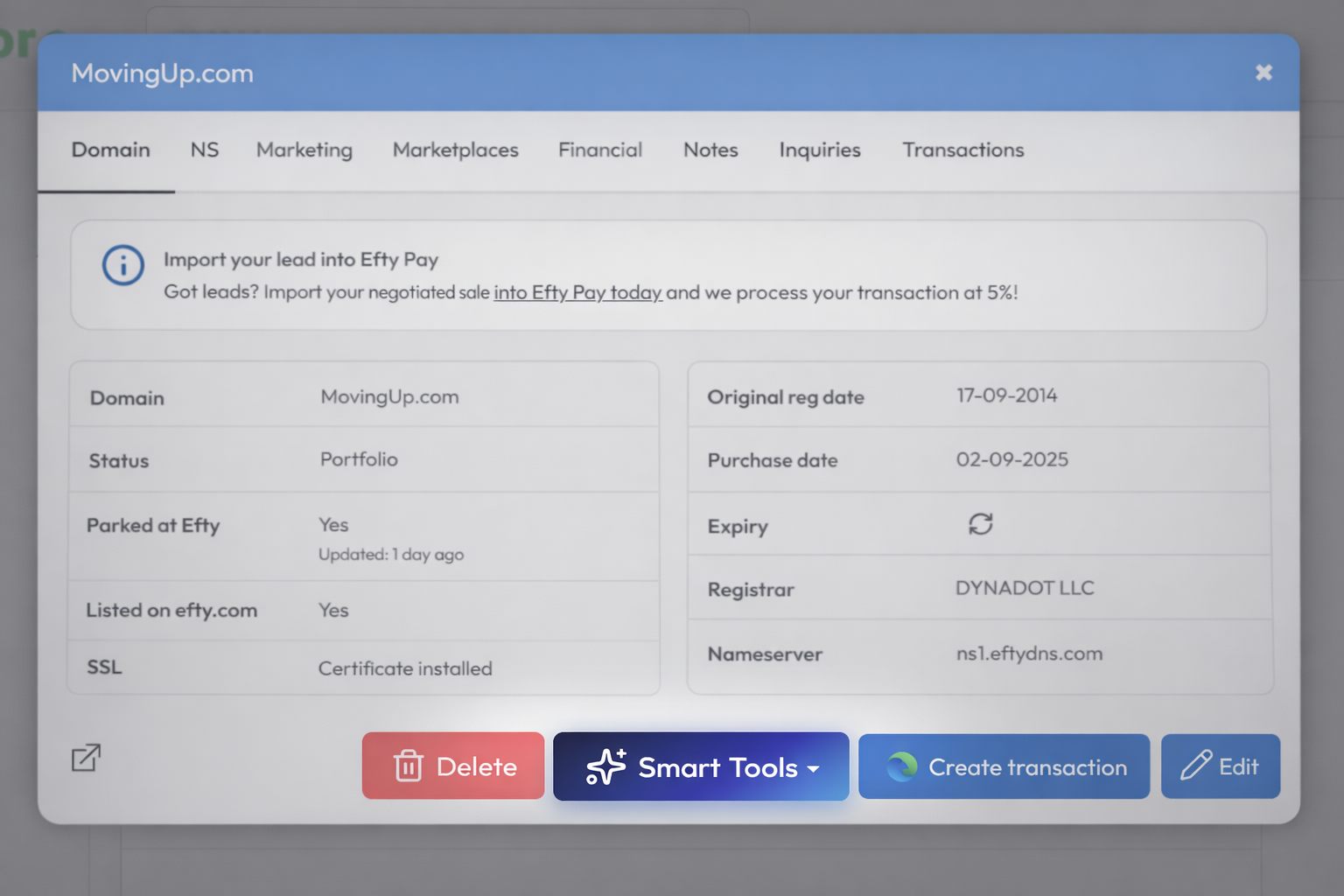
- Click Smart Tools
- Choose one of the available options:
- Generate Profile
- Generate USPs
- Suggest Category
Generate a Profile
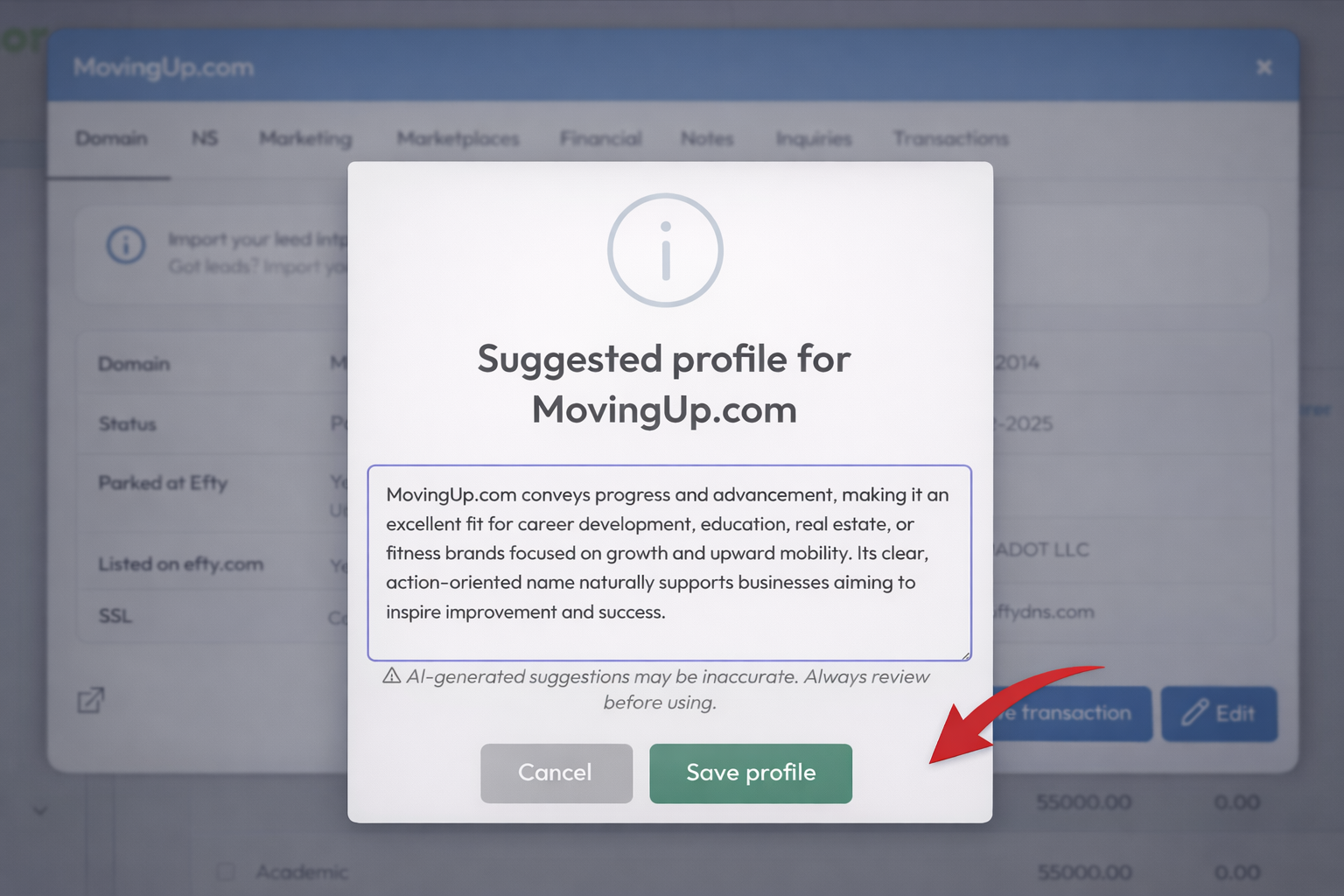
The Profile is a short, compelling description of your domain name.
- After clicking Generate Profile, a pop-up will appear with the suggested text
- You can edit and refine the content directly in the text editor
- Click Save Profile to apply it, or Cancel to discard
Always review and adjust the generated text as needed to ensure it aligns with your positioning and target audience.
Generate USPs (Unique Selling Points)
USPs highlight the strengths of your domain and help buyers quickly understand its value.
- The process works the same as generating a profile
- You’ll receive a list of suggested selling points
- Click Save to USP fields to apply them
Suggest a Category
The Category helps organize your domains and improves discoverability.
- Smart Tools will suggest the most relevant category
- You can accept or discard it as needed
Assigning a category is recommended, as it helps buyers discover your domain:
- In your Domain Shop
- On the Efty.com marketplace
Where Profiles and USPs are displayed
Profiles and USPs are optional, but can improve how your domain is presented and found.
They are displayed on:
- Selected For-Sale landing page themes
- Selected Domain Shop themes
- Selected Smart Lander themes
They are never displayed on:
- Your domain listings on the Efty.com marketplace
Using Smart Tools in Bulk
Smart Tools can also be used for multiple domains at once. This is especially useful for efficiently managing larger portfolios. Here's how that works:
Token usage and limits
Smart Tools uses tokens based on your subscription plan.
- Each action (Profile, USPs, Category) consumes tokens
- Tokens reset once per month
-
You can track your usage here:
If you run out of tokens:
- You’ll see a notification
- Smart Tools will be unavailable until your tokens reset
If you need additional tokens, you can contact our team.
Final notes
AI-generated suggestions are designed to save time and provide a strong starting point. Always review and refine the output before publishing.